Security and trust.
Your clients' details are encrypted for your firm. Their chats never train AI. Their evidence is kept from day one. And you stay the lawyer.
Free plan: your team answers chats. No card needed.
Your clients' details are encrypted for your firm. Their chats never train AI. Their evidence is kept from day one. And you stay the lawyer.
Free plan: your team answers chats. No card needed.
What people tell Burt stays protected, and it stays useful.
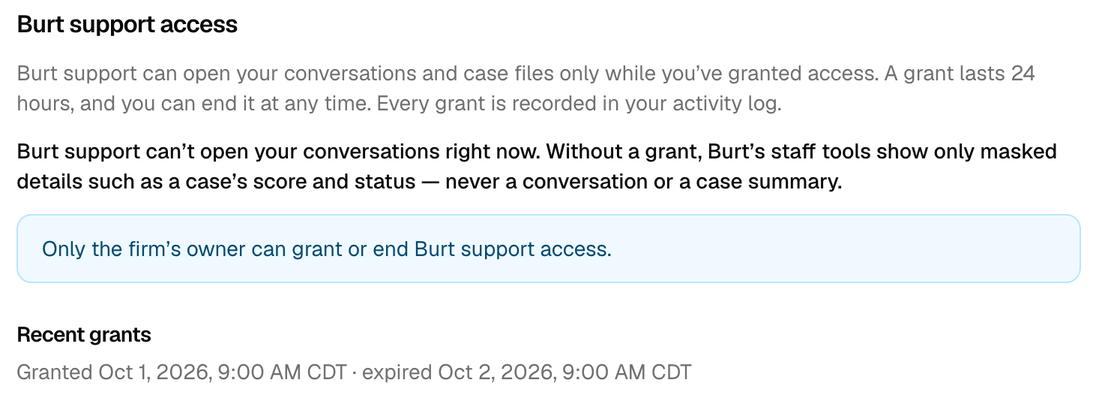
Your firm can. Other firms can't. Burt staff can't either, unless your owner says yes.
| Who | What they can see |
|---|---|
| Your team | The chats, case files and photos. Contact details too: right away on Free, after one free click on Pro and Premium. Other firms see none of it. |
| Burt staff | No names, phone numbers or emails, on any plan, unless your owner reveals them for a billing dispute. To open a chat or case file, staff need your owner's OK. It lasts 24 hours, and your activity log shows it. Contact details stay hidden even then. When helping you, staff can see your settings and billing. |
| Burt's AI | The chat, the name, phone and email from the contact form and, on Premium, the photos, videos and documents people send. With privacy mode on, not those contact details. It still reads the chat and the files. |
| Our AI providers | What Burt's AI reads, one case at a time. Their terms do not let them train on it. They may keep it for a short time to check for abuse. |
Hosted in the US. Burt's servers, database and files are in the United States. Contact details are locked with your firm's own key, and photos and documents are stored privately.
Privacy mode is on Premium. Your firm's owner turns it on, and it can't be turned off. Then only your team's devices can read contact details. What people type in the chat itself is not covered. Read how it works before you turn it on
Burt asks. Your team decides. It asks what a good intake person would ask, writes down the answers, and says it is an AI.
Chatting with Burt does not make anyone your client. If someone asks, Burt says your team will review what they shared. Your firm keeps the client relationship, conflict checks and every choice to sign a case.
Burt is an AI, so it can make mistakes. Here is what you can do if it slips.
No. Chats from your website stay with your firm. We never sell them or share them with another firm, not even through our own services.
The chat shows a line that says it is an AI assistant, not a lawyer. New firms start with that wording, and your firm sets the wording. Keep the words that say it is an AI. Rules about AI and lawyer ads differ by state, so check yours. The ABA's Model Rule 5.3 and Formal Opinion 512 are good places to start.
This is general information, not legal advice.
The chats, case files and photos collected for your firm belong to your firm.
We are an early company, and we say so. Burt does not have an outside security certificate (SOC 2) yet. Security details for your IT person or request our security details.
Burt takes down the facts. Your team decides.
Free plan: your team answers chats. No card needed.